
TECHNOLOGY
Enterprise Responsive Testing: Cross-Device Implementation Guide


Many websites and applications do not work properly on all devices, leading to issues like distorted layouts, broken functionality, and poor performance. A website that looks fine on a desktop may become difficult to navigate on a mobile screen due to misalignment or slow loading times. Responsive testing helps solve this problem by checking how applications perform across different devices, screen sizes, and browsers.
A responsive checker helps run mobile-friendly tests and identify layout issues and confirm that the design adapts correctly to various screen resolutions. In this article, we will explore different cross-device testing methods, challenges, and best practices to improve application performance across multiple platforms.
What Is Responsive Testing?
Responsive website testing checks whether a website displays and functions correctly across different screen sizes and devices. It typically uses CSS media queries to adjust the layout based on the device accessing the site.
In simple terms, this testing helps verify that your website looks and works as expected on desktops, tablets, and smartphones. A site that adapts well to all resolutions creates a better user experience and gives your business a competitive edge.
Responsive testing is usually part of the final phase of a responsive web design project. It’s closely tied to cross-browser testing, since both aim to improve how a website looks and behaves under different conditions. The main difference is that responsive testing checks adaptability across screen sizes, while cross-browser testing focuses on browser-specific behavior.
Why is Cross-Device Testing Required?
Cross-device testing is important because users access applications from many types of devices and operating systems. Differences in screen sizes, resolutions, and OS versions affect how an application works. Testing on multiple devices helps confirm that users do not face issues while using the application.
According to Statista, in December 2022, smartphones made up 77% of mobile device sales, followed by tablets at 11.5% and smart wearables at 8.1%. This highlights the need to test applications on different device types.
Operating system differences also impact how an application functions. iOS users may experience different features or bugs compared to Android users. Statista reported that in the last quarter of 2023, Android had a 70.1% market share, while iOS had 29.2%. This shows why testing applications on both platforms is important to confirm proper functionality for all users.
How Do You Choose What Devices to Test On?
With many devices, screen sizes, and operating systems available, it is important to decide which configurations to test. Testing on every device is not possible, so the focus should be on selecting a diverse range of options that match the user base while staying within time and budget limits.
The selection of devices depends on the project requirements. In some cases, testing may be done on a single device with a specific OS and screen size. This approach is useful when an application is designed for a particular device.
Popular web analytics tools can help identify commonly used devices and operating systems. These tools provide real-time data on OS market share and screen sizes. If user analytics are available, they can help refine testing choices by focusing on the most relevant configurations.
Approaches to Perform Cross-Device Testing
Testers can use two methods for cross-device testing:
- Manual Cross-Device Testing
- Automated Cross-Device Testing
These approaches help confirm that mobile applications work properly on different devices.
Manual Cross-Device Testing
Manual testing requires testers to interact with an application like an end-user. They check usability, performance, and functionality across various devices to find issues.
Steps for Manual Cross-Device Testing
- Select Devices: Pick devices that reflect your target audience. Cover a range of screen sizes, operating systems, and resolutions. Include both older and newer models to catch layout issues and compatibility problems.
- Test Planning: Create a test plan with test cases for each selected device. Prioritize important functionalities and commonly used devices to speed up testing.
- Test Execution: Testers check the user interface, navigation, and responsiveness. They evaluate the application under different network conditions like 5G, 4G, 3G, and Wi-Fi. They also test in both portrait and landscape modes. Regression testing is performed to confirm that updates do not affect functionality.
- Documentation: Any issues found are recorded, and detailed feedback is shared with the development team.
Limitations of Manual Cross-Device Testing
- Works well for a small number of devices but becomes expensive and time-consuming for large-scale testing.
- Human errors may lead to missed issues or incorrect test execution.
- Testing consistency may vary since different testers may follow different methods.
To overcome these challenges, automated testing can be used.
Automated Cross-Device Testing
Automated testing uses tools and frameworks to test applications on multiple devices. It speeds up testing and reduces manual effort.
Steps for Automated Cross-Device Testing
- Define Test Scenarios and Requirements: Start by identifying the devices and screen sizes you want to cover. List the test scenarios for each; these could include layout checks, navigation behavior, or functional flows like form submissions.
- Choose Automation Tools: Pick tools that match your project needs and support the target devices and browsers. Selenium, Appium, or tools like LambdaTest are common choices for cross-device testing.
- Create Test Scripts: Write scripts that can be reused across platforms. Keep them modular so they handle variations in UI behavior across screen sizes or operating systems. Consider writing tests in a framework that supports parallel execution to speed things up.
- Implement Parallel Testing: Run tests on multiple devices at the same time to speed up the process.
- Set Up Continuous Integration (CI): Integrate testing with CI/CD pipelines to automate tests with every code change.
- Monitor Test Execution: Track test results to identify and fix failures.
- Update Test Scripts Regularly: Modify scripts to match software updates and new device configurations.
Where to Run Cross-Device Tests?
Different testing methods help confirm that applications work properly across various devices. Below are the main options for running cross-device tests:
Physical Devices
Physical devices are actual smartphones and tablets used for testing instead of virtual versions. They cover different screen sizes, operating systems, and hardware configurations, including folding phones and wearables.
This method is useful for testing features like cameras, sensors, GPS, facial recognition, and motion detection. Testing on real devices helps find usability issues under real-world conditions. However, using physical devices for minor checks, such as verifying if an app launches correctly, may not be practical. It can also be expensive and time-consuming, especially for businesses with limited resources.
Real Device Cloud
A real device cloud provides access to Android and iOS devices over the internet. This method allows testers to run applications on real hardware without maintaining an in-house device lab.
Setting up and updating physical devices requires ongoing investment, but cloud-based services manage these tasks. Real device cloud testing supports features like biometric authentication, camera functions, Bluetooth, and sensors. It helps teams test applications without needing to buy and maintain a large collection of devices.
Emulators and Simulators
Emulators and simulators create virtual environments for testing applications. They provide a cost-effective way to check basic functionality without needing real devices.
While both serve a similar purpose, they have differences. Emulators mimic the entire hardware and software of a device, while simulators focus on software behavior. These tools help with early-stage testing and are easy to set up. They also work well in Continuous Integration (CI) environments for automated testing.
However, emulators and simulators cannot fully replicate real-world conditions. They may not support features like biometric authentication, physical sensors, or performance testing under network fluctuations. For tests requiring real user interactions, physical devices or cloud-based testing is a better choice.
Each method has its advantages and limitations, and choosing the right approach depends on the testing needs, available resources, and project requirements.
Cross-Device Testing Strategies
To effectively perform cross-device testing, effective strategies should be followed. Next, let’s look at some key strategies that can be used for cross-browser and device testing.
- Planning and Analysis: Start by identifying the target devices, operating systems, and browsers used by the customers through research and analytics. Create device matrices to prioritize testing based on usage data to confirm comprehensive coverage across different device types.
- Responsive and Adaptive Design Testing: Implement responsive design principles to make sure the application adapts to different screen sizes and orientations. Test adaptive features to confirm that different layouts and functionalities are correctly displayed and function across all targeted devices.
- Visual and Interface Testing: Conduct thorough visual testing to verify that UI elements, layouts, images, and text display correctly across all devices. Test the application’s interface usability to confirm a good user experience, especially on devices with smaller screens.
- Functional Testing Across Devices: Validate cross-platform consistency by testing all functionalities across different devices. This includes assessing how the application handles user inputs, processes data, and maintains feature accessibility across various platforms and devices.
- Performance Testing: Check load times, responsiveness, and system resource usage across multiple devices. Track CPU, memory, and battery consumption to spot performance issues that might not be visible through UI alone.
- Security Testing Across Platforms: Verify that data is handled securely during transmission and storage on all target devices. Test login flows, session handling, and permission checks to confirm that user data stays protected across platforms.
- Test Automation: Automate repetitive tests using tools to execute tests consistently across different devices and platforms. Integrate automated tests into a CI/CD pipeline to continuously verify application functionality as new code is deployed.
Challenges of Cross-Device Testing
Cross-device and browser testing comes with several challenges, including:
- Testing across many devices and screen resolutions requires a large inventory, which can be expensive and difficult to manage.
- Web applications must work on different browsers and versions, but frequent updates make it challenging to keep tests up to date.
- Variations in processing power, memory, and display quality affect how applications perform. This makes it harder to test speed and responsiveness across devices.
- Some devices support gestures or navigation methods that others do not. Testing for multiple input types adds complexity to the process.
- Automated tests must cover multiple device scenarios, which requires setting up and managing different test environments. This increases the effort needed to maintain test scripts.
- Creating and maintaining the necessary systems for cross-device testing requires significant investment in both infrastructure and resources.
Best Practices for Cross-Device Testing
Following best practices helps improve the accuracy and effectiveness of cross-device testing.
- Use tools like Google Analytics and user surveys to find out which devices and screen sizes are most popular among users. Focus testing on these configurations.
- Create a test plan that covers the most important features and operating systems. Testing critical functionalities first helps identify major issues early.
- Use emulators and simulators for early-stage testing, but always verify on real devices. This helps confirm how the application behaves in real-world conditions.
- Test on older devices and operating systems to check compatibility for users who have not upgraded. This helps maintain a smooth experience for all users.
- Run tests on Wi-Fi, mobile data, and slower networks to check how the application performs under varying conditions. This helps find connectivity-related issues.
- Collect feedback from real users to check if the application is not only functional but also easy to use. User insights help refine the overall experience.
Tools for Cross-Device Testing
Cross-device testing tools help testers make sure their applications work smoothly across different devices. Here are the top 6 tools,
- LambdaTest: It is an AI-native test orchestration and execution platform. It helps you perform manual and automation testing on over 5000+ real desktop browsers, devices, and operating system combinations.
- Appium: Appium is an open-source automation tool for testing Android and iOS applications. It supports hybrid apps and helps automate functional testing to check if an application performs as expected.
- Espresso: Espresso is a testing framework developed by Google for Android applications. It provides tools for writing UI tests that check interactions, layout, and responsiveness. It includes APIs like ViewMatchers and ViewActions to simulate user interactions.
- XCUITest: XCUITest is a testing framework developed by Apple for testing iOS applications. It allows developers to create automated tests in Swift or Objective-C to verify app functionality on iPhones and iPads.
- Robotium: Robotium is an open-source testing tool for Android applications. It helps create test cases for different scenarios, such as checking how an app responds under various conditions and whether it meets functional requirements.
When it comes to automating mobile web applications, Selenium mobile testing is a popular choice. It leverages the powerful Selenium framework, which is typically used for web applications, to test mobile browsers on real devices or emulators.
Selenium mobile testing refers to using the Selenium framework to automate testing for mobile web applications. While Selenium is primarily designed for web application testing, it can be extended to mobile testing through Selenium WebDriver with mobile browsers on real devices or emulators.
Conclusion
In conclusion, enterprise responsive testing helps confirm that applications work correctly on different devices and screen sizes. It helps deliver a consistent experience for users across smartphones, tablets, and desktops. Manual testing allows testers to check usability and functionality by interacting with applications on real devices. Automated testing speeds up the process by running tests on multiple devices at the same time.
Testing on physical devices, real device clouds, emulators, and simulators provides different ways to verify application behavior. Cross-device testing comes with challenges like managing a large number of devices and handling differences in operating systems.
Following best practices like testing on real devices, running tests under different network conditions, and automating repetitive tasks helps improve accuracy. Using testing tools helps teams check applications more efficiently. A well-planned approach to testing helps improve application quality and user experience.

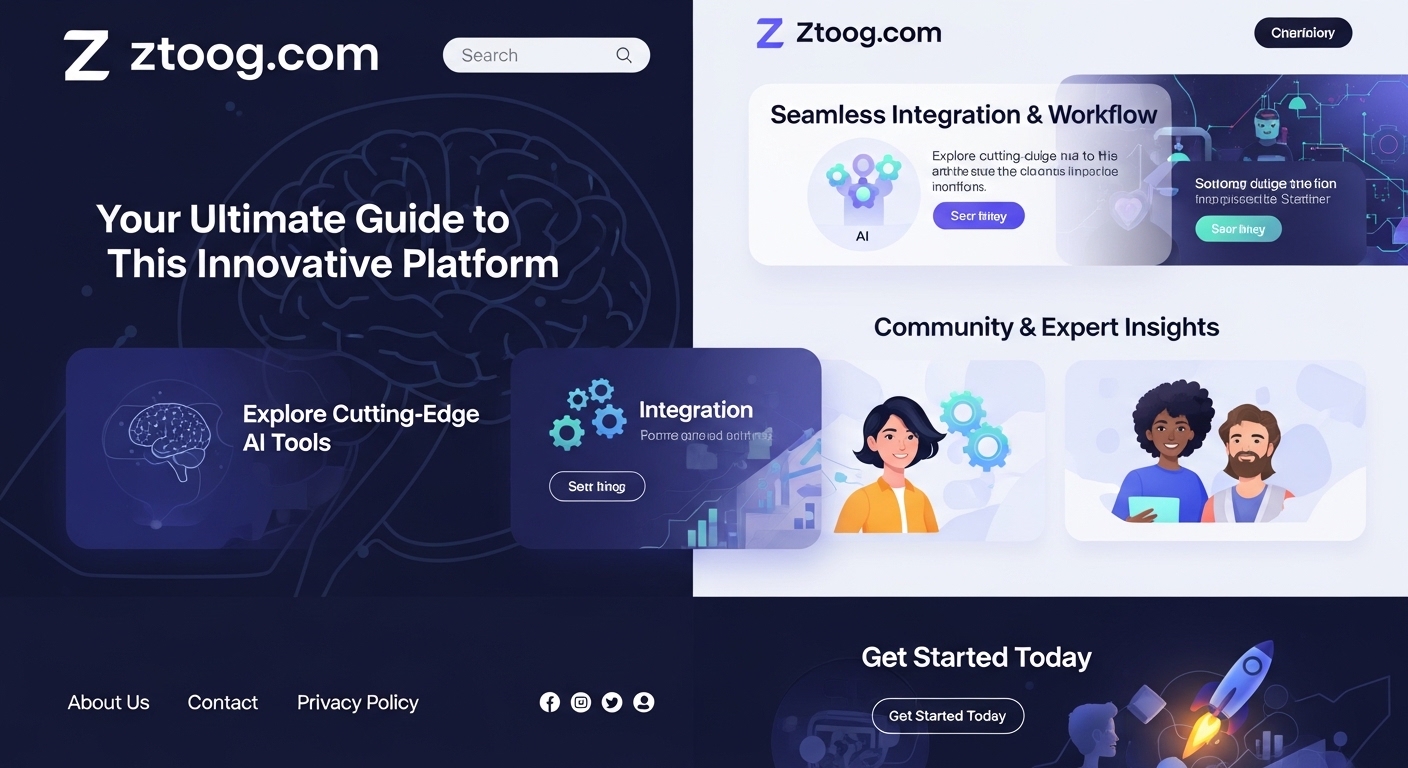
In today’s fast-paced world, finding reliable and efficient platforms that cater to specific needs can be challenging. Enter Ztoog.com, a game-changing solution designed to make your online experience seamless and enjoyable. Whether you’re here to explore its features or learn how it can benefit you, we’ve got you covered!
What is Ztoog.com?
Ztoog.com is a versatile online platform that bridges the gap between convenience and functionality. It serves as a hub for users seeking innovative solutions for various personal and professional needs. Whether it’s for productivity, connectivity, or resource management, Ztoog.com has something for everyone.
How Ztoog.com Works
Using Ztoog.com is as easy as pie! Here’s how you can get started:
- Sign Up: Create an account with your email or social media credentials.
- Explore Features: Dive into the platform’s robust offerings.
- Customize Your Experience: Tailor the tools and features to suit your preferences.
- Get Started: Begin using Ztoog.com to simplify your tasks and achieve your goals.
Features of Ztoog.com
Ztoog.com boasts a variety of features that set it apart from the competition:
1. User-Friendly Interface
The platform’s intuitive design ensures even beginners can navigate effortlessly.
2. Advanced Security Measures
Worried about data breaches? Ztoog.com employs cutting-edge encryption to keep your information safe.
3. Mobile Compatibility
Access Ztoog.com on the go with its mobile-friendly interface.
Why Choose Ztoog.com?
1. Competitive Advantages
Unlike other platforms, Ztoog.com combines affordability with premium features, making it a go-to choice for users.
2. Industry Recognition
Trusted by professionals and casual users alike, Ztoog.com has carved a niche in the market.
3. User Testimonials
Don’t just take our word for it—countless users rave about their positive experiences!
Benefits of Ztoog.com
1. Cost-Effectiveness
Save money while enjoying premium services.
2. Efficiency
Streamline your tasks and boost productivity.
3. Accessibility
Use the platform anytime, anywhere.
Applications of Ztoog.com
Ztoog.com is incredibly versatile and can be used in various ways:
- Business Operations: Simplify workflows and manage projects.
- Education: Access resources and enhance learning experiences.
- Personal Tasks: Organize your day-to-day activities.
Who Can Use Ztoog.com?
Ztoog. com is designed for:
- Businesses: Enhance productivity and team collaboration.
- Individuals: Simplify daily tasks and manage resources efficiently.
- Students: Access tools that aid in academic success.
How to Get Started
Ready to join the Ztoog. com community? Follow these steps:
- Visit the Website: Head to www.ztoog.com.
- Register: Fill out the sign-up form with your details.
- Verify Your Email: Activate your account through the verification link.
- Log In and Explore: Start your Ztoog.com journey!
Ztoog.com for Businesses
Businesses can use Ztoog. com to:
- Manage Projects: Keep track of tasks and deadlines.
- Collaborate: Share files and communicate effectively with team members.
- Analyze Data: Gain insights to make informed decisions.
Ztoog.com for Individuals
For personal use, Ztoog. com offers:
- Task Management: Organize your to-do list.
- Resource Access: Find tools and information effortlessly.
- Enhanced Productivity: Achieve more in less time.
Tips for Maximizing Your Ztoog.com Experience
- Explore Tutorials: Familiarize yourself with the platform’s features.
- Stay Updated: Subscribe to newsletters for the latest updates.
- Utilize Customer Support: Reach out for assistance when needed.
Common Issues and How to Solve Them
1. Login Problems
- Solution: Reset your password or contact support.
2. Slow Loading Times
- Solution: Clear your browser cache and ensure a stable internet connection.
3. Feature Access Issues
- Solution: Check your subscription plan and upgrade if necessary.
The Future of Ztoog.com
With a growing user base and continuous updates, Ztoog. com is poised for even greater success. Expect exciting new features and enhanced functionality in the near future.
Conclusion
Ztoog.com is more than just a platform; it’s a solution to your everyday challenges. Whether you’re a business owner or an individual looking for simplicity and efficiency, Ztoog.com has you covered. So, why wait? Join the Ztoog. com community today and experience the difference!
FAQ’s
1. Is Ztoog. com free to use?
Ztoog. com offers both free and premium plans to cater to different needs.
2. Can I access Ztoog. com on my phone?
Absolutely! Ztoog. com is mobile-compatible for on-the-go access.
3. Is my data safe on Ztoog. com?
Yes, Ztoog. com employs advanced security measures to protect user data.
4. What kind of support does Ztoog. com offer?
The platform provides 24/7 customer support through various channels.

In the world of the internet, strange and random words often become popular, not because they mean something, but because they spark curiosity. One such term that has recently gained attention is sryzvduebbcylzk. It is not a word you will find in dictionaries, and it does not have a clear meaning. Yet, it has become a topic of discussion, speculation, and curiosity online. In this article, we will explore what sryzvduebbcylzk could be, why it is trending, and what it reveals about how people interact with content online.
What Is sryzvduebbcylzk?
sryzvduebbcylzk is a unique string of letters that does not follow normal language patterns. It is not a recognized word in any language, and it does not represent any known brand or concept. Instead, it appears to be a random combination of letters that caught the attention of internet users. The main reason it became popular is because it looks unusual and difficult to pronounce, making it stand out from ordinary words.
The interesting part about sryzvduebbcylzk is that it has no clear origin. It may have started as a random keyboard smash, a placeholder text, or even a test keyword used by content creators. Over time, people began to search for it and discuss it, which made it more visible online. This type of phenomenon is not new; the internet often turns random phrases into trends simply because they are strange or unexpected.
Why Do Random Words Become Trending?
The internet thrives on novelty. When people see something unusual, they are naturally curious and want to learn more. sryzvduebbcylzk is a perfect example of this. It does not mean anything, but the fact that it exists and is being discussed makes people want to know why. This curiosity drives more searches, more posts, and more conversations, which makes the term even more popular.
In addition, random words like sryzvduebbcylzk are easy to share. They are short, memorable, and can be used in jokes, memes, or online challenges. This type of content spreads quickly because it is simple and entertaining. People share it with friends, post it on social media, or use it as a mysterious reference in online conversations. Over time, the word becomes a part of internet culture, even if it does not have a real meaning.
Possible Reasons Behind the Term
There are several possible explanations for why sryzvduebbcylzk exists and why it became popular:
1. Random Keyboard Input:
Many internet trends start with random typing. Someone may have accidentally typed the word, found it interesting, and shared it. Others then followed, repeating it or using it for fun.
2. Social Experiment:
Some people intentionally create random terms to see how far they can spread online. The goal may be to test the power of virality or to observe how people react to unknown words.
3. Meme Culture:
The internet loves memes, and memes often start with random or nonsensical words. sryzvduebbcylzk may have become popular simply because it looks funny and strange, making it a perfect candidate for meme creation.
How sryzvduebbcylzk Reflects Modern Internet Culture
The rise of sryzvduebbcylzk highlights how modern internet culture works. People are drawn to content that is unusual, surprising, or mysterious. In a world where millions of pieces of content are published daily, standing out is difficult. Random terms like sryzvduebbcylzk manage to stand out because they are unlike anything else.
This also shows how quickly content can spread. A single post or mention can lead to hundreds of searches, shares, and discussions. The internet acts like a magnifier, turning small and random ideas into large trends within days. In this way, sryzvduebbcylzk is not just a random word; it is a symbol of how attention works online.
How to Use sryzvduebbcylzk in Content
If you want to use sryzvduebbcylzk in your content, the best approach is to treat it as a curiosity or a case study. You can write about:
- Why it became popular
- How the internet spreads random trends
- The psychology behind viral content
- The challenges of ranking for unique keywords
By writing in a thoughtful and informative way, you can turn a random term into a meaningful topic. This helps your content feel valuable and not just a filler for SEO.
What You Should Know Before Using It
Before using sryzvduebbcylzk in your content strategy, keep these points in mind:
- It has no real meaning, so you should avoid claiming it does.
- It can be used as a curiosity or case study.
- It may attract attention because it is unique, but it may not bring long-term traffic.
- It is best used in a creative and informative way rather than as a simple keyword.
Frequently Asked Questions (FAQ’s)
1. What does sryzvduebbcylzk mean?
sryzvduebbcylzk does not have a known meaning and is not a word in any language. It is likely a random string of letters.
2. Why is sryzvduebbcylzk trending online?
It is trending because people find it unusual and share it for curiosity, humor, or as part of internet culture.
3. Is sryzvduebbcylzk a brand or product?
No verified evidence shows it is a brand or product. It appears to be a random term.
4. How can I use sryzvduebbcylzk in my blog?
You can use it as a case study of internet trends, viral content, or SEO experiments.
Conclusion
sryzvduebbcylzk is a curious example of how the internet can turn something random into a trend. While it has no clear meaning or origin, it captures attention because it is strange and unique. It shows how modern online culture works, where novelty and curiosity can quickly become viral. Whether you see it as a random string of letters or a symbol of digital culture, sryzvduebbcylzk is a reminder that the internet will always find new ways to surprise us.

In today’s digital landscape, unusual codes and alphanumeric sequences often pique curiosity. One such sequence that has gained attention in certain online communities is p13x13t. While it may look cryptic at first glance, there’s a fascinating blend of speculation, technology, and digital culture surrounding it. This article delves deep into everything about p13x13t, exploring its structure, meaning, and possible applications.
What is p13x13t?
At its core, p13x13t is an alphanumeric sequence combining letters and numbers. The arrangement of characters has sparked interest because of its unique composition and symbolic potential. Though it does not represent a formal technology standard or a widely recognized tool, it appears frequently in discussions around digital patterns, coding experiments, and creative online projects.
The sequence itself can be broken down into three segments: “p,” “13×13,” and “t.” Each segment has been interpreted differently by those who study digital symbolism. The letter “p” is often thought to indicate a prefix, process, or project, while “13×13” refers to a numerical pattern reminiscent of a grid or matrix. The final “t” may denote a test, token, or simply act as a distinguishing marker. Combined, they create a label that feels systematic yet mysterious.
Understanding the Structure of p13x13t
To fully grasp the concept of p13x13t, it helps to examine its individual components:
- p – Typically considered a starting point, it could represent a project, pattern, or procedural element in a system. It acts as an initial marker that signals the beginning of a sequence.
- 13×13 – This numerical segment suggests a matrix of 13 rows by 13 columns, creating a total of 169 cells. In digital design and coding contexts, such a grid can symbolize organization, structure, and complexity. It is a recurring motif in mathematical modeling, algorithmic design, and puzzle-based challenges.
- t – Often seen as a closing or distinguishing character, it might represent a token, test, or terminal element. Its role is to complete the sequence and make it unique.
This combination of letters and numbers creates a label that is visually appealing and conceptually intriguing, which is likely why it has captured attention online.
The Role of p13x13t in Digital Culture
While there is no confirmed technical function for p13x13t, it has found a place in digital culture. Online forums, creative communities, and speculative blogs frequently reference it as a symbolic concept. It is sometimes used in digital art, generative design, or interactive coding exercises where patterns and structure are central themes.
Many enthusiasts interpret p13x13t as more than just a sequence. Its design evokes ideas of organization, pattern recognition, and the unseen structures that exist in digital systems. In a sense, it represents the curiosity and creativity that drives much of the online coding and art communities today.
Speculation and Theories Surrounding p13x13t
Because p13x13t does not have an official definition, it has been the subject of various speculative interpretations:
- Digital Identifier – Some suggest it could serve as a unique marker in experimental software or digital projects, functioning like a token or identifier.
- Pattern-Based Concept – The “13×13” segment is often linked to patterns or matrices in algorithmic thinking, suggesting a systematic or calculated approach.
- Cultural Symbol – Within online creative communities, p13x13t has been adopted as a motif representing mystery, technology, and digital artistry.
- Security Reference – A few reports associate similar alphanumeric sequences with minor malware signatures, though there is no verified malicious software directly tied to p13x13t.
Despite these interpretations, it is important to recognize that p13x13t remains largely symbolic, with its real-world applications still largely speculative.
Potential Applications of p13x13t
Even without an official function, p13x13t can be conceptually applied in several areas:
- Digital Art and Design – Artists can use p13x13t as inspiration for generative art, pattern-based design, or coding exercises. Its grid-like component lends itself well to visual compositions.
- Coding and Programming Challenges – Developers may use p13x13t as a naming convention, test identifier, or placeholder in experimental scripts or learning exercises.
- Puzzle and Game Development – The mysterious nature of p13x13t makes it ideal for digital puzzles, cryptographic games, or interactive content.
- Educational Concepts – It can serve as a teaching tool for illustrating matrices, pattern recognition, or structured data in computer science or mathematics classes.
These applications highlight how a symbolic sequence can find practical use even when its origin is uncertain.
How to Approach p13x13t Safely
If you encounter p13x13t in online discussions or software experiments, a cautious and informed approach is recommended. While there is no confirmed malicious activity associated with the sequence itself, it is wise to:
- Avoid downloading unknown files labeled with p13x13t from untrusted sources.
- Treat discussions referencing it as speculative unless supported by official documentation.
- Use it as a conceptual tool for learning, coding, or creative projects rather than a verified technology.
By approaching p13x13t thoughtfully, users can explore its patterns, meanings, and applications safely.
The Intriguing Popularity of p13x13t
The reason p13x13t has become widely discussed online is its combination of mystery, symbolism, and visual appeal. People are naturally drawn to sequences that look meaningful but are open to interpretation. The sequence encourages curiosity, prompting exploration into digital culture, coding, and creative problem-solving.
Unlike conventional technical terms, p13x13t thrives in the speculative and creative sphere, making it a unique example of how digital symbols can gain cultural traction even without an official application.
Conclusion
While p13x13t does not represent a formal technology, software, or standardized protocol, it has become a notable concept in digital culture. Its unique alphanumeric structure, evocative matrix pattern, and symbolic potential have captured the attention of coding enthusiasts, digital artists, and curious online communities. Whether used as a creative motif, a coding challenge, or a conceptual tool, p13x13t demonstrates the power of symbols in shaping curiosity and exploration in the digital world.
Frequently Asked Questions
1. What does p13x13t mean?
p13x13t is an alphanumeric sequence that combines letters and numbers. It is mostly symbolic, representing patterns or digital concepts.
2. Is p13x13t a software or technology?
No, p13x13t is not an official software or technology. It is primarily used in creative, educational, or speculative contexts.
3. Can p13x13t be used in coding projects?
Yes, it can serve as a placeholder, identifier, or concept for learning exercises, pattern recognition, or experimental scripts.
4. Is p13x13t linked to malware?
There is no verified malware directly associated with p13x13t. Some similar sequences have appeared in minor security discussions, but caution is advised.
-

 BLOG2 years ago
The Versatility and Convenience of a 5’x5′ Square Folding Table
-

 FASHION1 year ago
Pagewings: Book‑Lover Apparel That Speaks Volumes
-

 HOME2 years ago
From Script to Screen: Top Educational Programs for Future Screenwriters That Actually Work
-

 NEWS1 year ago
Whatfinger News: A Comprehensive Guide to Alternative News
-

 TECHNOLOGY1 year ago
Aagmal: The Future of Innovation and Efficiency
-

 TECH1 year ago
How Cyber Security Services Help Organizations Manage Cyber Risk
-

 BLOG2 years ago
Slothokiturbo.net: Exploring the World of Online Gaming and Community
-

 ENTERTAINMENT2 years ago
Arlecchino: The Mischievous Harlequin of Italian Theater