
TECH
Why Does My Mercedes Battery Drain So Quickly in Dubai?


A dead or draining battery can be a real hassle for Mercedes owners, especially in Dubai’s scorching weather. High temperatures and increased electrical loads can significantly impact battery life. If you’re constantly facing battery issues, visiting a Mercedes service center for professional diagnosis and repair is the best solution. Regular car maintenance plays a crucial role in preventing such problems and keeping your vehicle running smoothly. In this article, we’ll discuss the common causes of battery drain in Mercedes, how to fix them, and where to get the best car maintenance Dubai services.
Common Reasons for Mercedes Battery Drain
Having trouble with your Mercedes battery draining? It could be because of things like leaving the lights on, an alternator issue, or even wiring problems. If you’re dealing with this, heading to a car repair workshop Dubai will help get it sorted out quickly.
1. Extreme Heat in Dubai
Heat in Dubai dries up the battery fluid faster and shortens its life. Heat also makes it harder for the battery to hold charge. If you leave it in the heat for too long, the internal parts of the battery weaken and fail early.
2. Frequent Short Trips
Short drives don’t give the battery enough time to recharge. If you only drive for a few minutes at a time the battery doesn’t get fully charged. Over time this weakens the battery and makes it harder for it to hold power.
3. Faulty Alternator
Alternator is responsible for charging the battery. If it’s not working properly the battery won’t charge fully. A loose or damaged alternator belt can also make charging less effective. If alternator fails the battery will drain faster than usual
4. Battery Drains When Car is Off
Some car parts like alarms, GPS trackers or lights still use power when the car is off. Faulty wiring or damaged parts can also drain the battery too much. If too much power is used when the car is off the battery will die suddenly.
5. Old or Weak Battery
Car batteries last 3 to 5 years. As they get older they don’t hold power as well. Using a battery for too long increases the chances of it dying suddenly. In Dubai’s hot weather batteries weaken even faster so regular checks are important.
6. Leaving Electronics On
Leaving the headlights, interior lights or music system on when the car is parked will drain the battery overnight. Always turn everything off before leaving the car. Some Mercedes features like ambient lighting and entertainment systems can still use power when the car is not running.
7. Dirty or Loose Battery Connections
If the battery connections are dirty or loose the battery won’t charge properly. This reduces power transfer and weakens the performance. Wanna keep the battery working well so clean the battery terminals regularly.
How to Prevent Mercedes Battery Drain
1. Park in the Shade
- Don’t park in direct sunlight.
- Use a car cover or park in a garage to keep the battery cool.
- High temperatures can speed up chemical reactions inside the battery and drain it faster.
2. Drive Regularly
- Longer drives allow alternators to fully charge the battery.
- Avoid short trips to maintain battery health.
- If your vehicle sits idle for a long time, consider using a trickle charger to maintain battery levels.
3. Check the Alternator
- Have alternator checked regularly to see if it’s charging properly.
- Replace faulty belts and components as needed.
- A weak alternator can create a cycle of battery drain and failure.
4. Check for Electrical Faults
- Get a professional diagnostic test to detect hidden electrical drains.
- Make sure alarms and GPS trackers are working properly.
- If you suspect parasitic drain, consult an expert to test and repair.
5. Replace the Battery on Time
- If the battery is more than 3 years old, get it tested and replaced it
- Use high quality, heat resistant batteries designed for Dubai’s climate.
- Investing in a premium battery will save you money in the long run by reducing check-ups and replacements.
6. Turn Off Unnecessary Electronics
- Always switch off headlights, AC and other electronics before turning off the car.
- Remove phone chargers and other plugged in accessories when not in use.
- Many modern cars use power even when turned off because of the keyless entry system, so be aware of battery usage.
7. Clean and Secure Battery Connections
- Regularly clean battery terminals to prevent rust.
- Tighten loose cables to keep the electrical flow smooth.
- Use a protective coating on battery terminals to make them last longer.
Additional Tips to Extend Battery Life
- Don’t leave the vehicle unused for long periods.
- Use a battery maintainer when parking for a long duration.
- Get your car serviced at a trusted Mercedes service center to detect underlying issues.
- If you have repeated battery failure, consider upgrading to a high performance battery.
Conclusion
In Dubai, the battery drains fast due to extreme weather, heat of Dubai, short trips or electrical issues. to make your battery last longer, park in the shade, drive regularly and service the alternator. ignoring battery issues can lead to sudden breakdowns so regular maintenance is key. for your Mercedes repair in Dubai visit Munich Motor Works Services. We do battery checks, replacements and electrical repairs to keep your Mercedes running smoothly. Contact Munich Motor Works us today!
Introduction
Whenever a new term like “treamweast” pops up, my curiosity kicks in immediately. What exactly does it mean? How is it relevant to various fields? While the precise definition of treamweast might depend on the context in which it’s used, let’s embark on an exploratory journey together to unpack what this intriguing keyword could encompass.
What Is Treamweast?
At its core, treamweast often refers to a novel concept, tool, or framework whose purpose or utility might still be emerging. Sometimes, new words are coined to describe disruptive technologies, innovative methodologies, or modern trends that don’t fit into existing categories. Appears to fall into this category—a term either for a fresh process or a unique system waiting for wider recognition.
Possible Uses and Origins
- Innovative Technology: Treamweast could be a software platform, a service, or an app designed to address specific challenges.
- Methodology: It may represent a set of procedures or guidelines in fields such as business, engineering, or education.
- Brand/Trademark: Sometimes terms like these emerge as company names or directional products.
Regardless of its original intent, the most fascinating part of treamweast is the sense of discovery it inspires.
Key Features of Treamweast
When I imagine a concept like treamweast, I consider which characteristics make it stand out. Here are some possibilities:
Flexibility and Adaptation
- Treamweast could be highly adaptable, allowing users in diverse industries to customize its use.
- It might offer modules or components tailored to specific needs.
Technology Integration
- Seamless compatibility with modern digital tools could define treamweast.
- Features such as cloud-based operation or integration with existing platforms may be core strengths.
User-Centric Approach
- The best new frameworks always focus on usability.
- Treamweast may prioritize intuitive interfaces and feedback-driven improvements.
Scalability
- If is meant for organizations, it likely scales from small teams to large enterprises.
Possible Benefits of Adopting Treamweast
Embracing something novel can have tangible advantages. Let’s imagine some positive impacts of introducing treamweast:
Efficiency and Productivity
- Streamlining processes and automating repetitive tasks could be a central goal.
- Teams might experience faster turnaround times and smoother collaboration.
Innovation
- Adopting treamweast may place early adopters at the forefront of innovation in their markets.
Competitive Edge
- Staying ahead of trends enables organizations to outperform industry peers.
Enhanced Experience
- For individual users, could mean better outcomes, easier access to resources, and more enjoyable workflows.
Challenges and Considerations
Of course, every new idea faces obstacles. Here’s what I’d pay attention to with treamweast:
Adoption Curve
- New tools require learning and perhaps shifting from established routines.
Integration Complexity
- Ensuring compatibility with legacy systems can be a technical challenge.
Cost or Investment
- There may be initial investments in training, software, or infrastructure.
Need for Clear Communication
- As with any fresh concept, it’s crucial for developers or advocates of treamweast to articulate its value proposition clearly and compellingly.
Treamweast in Different Contexts
Let’s experiment with how might be applied across various spaces:
Business and Startups
- Treamweast could disrupt project management or workflow optimization.
- Startups might use it to iterate faster and bring products to market sooner.
Education
- Teachers and students could leverage treamweast for personalized learning paths or collaborative assignments.
Healthcare
- Treamweast might streamline patient records, appointment scheduling, or remote care.
Personal Productivity
- Individuals might integrate with their daily routines, from goal-setting to tracking progress.
Evaluating the Impact of Treamweast
If you’re considering using or recommending treamweast, here are a few key questions I’d ask:
- Does it improve efficiency or add meaningful value?
- Is it easy for the target audience to adopt?
- How does it integrate with existing tools or platforms?
- Is ongoing support or development provided?
The Future Outlook for Treamweast
Just as with any emerging concept, the growth and influence of will likely evolve. Here are some trends I’d keep an eye on:
Community Development
- A robust user community can accelerate knowledge-sharing and troubleshooting.
Feature Expansion
- Future versions of treamweast could introduce new modules, capabilities, and greater automation.
Industry-Specific Customization
- Tailoring for finance, manufacturing, or creative industries could unlock new opportunities.
Conclusion
Treamweast is a word brimming with potential and possibility. While a universally accepted definition or use may not yet exist, exploring and innovating around it can reveal exciting prospects for businesses and individuals alike.
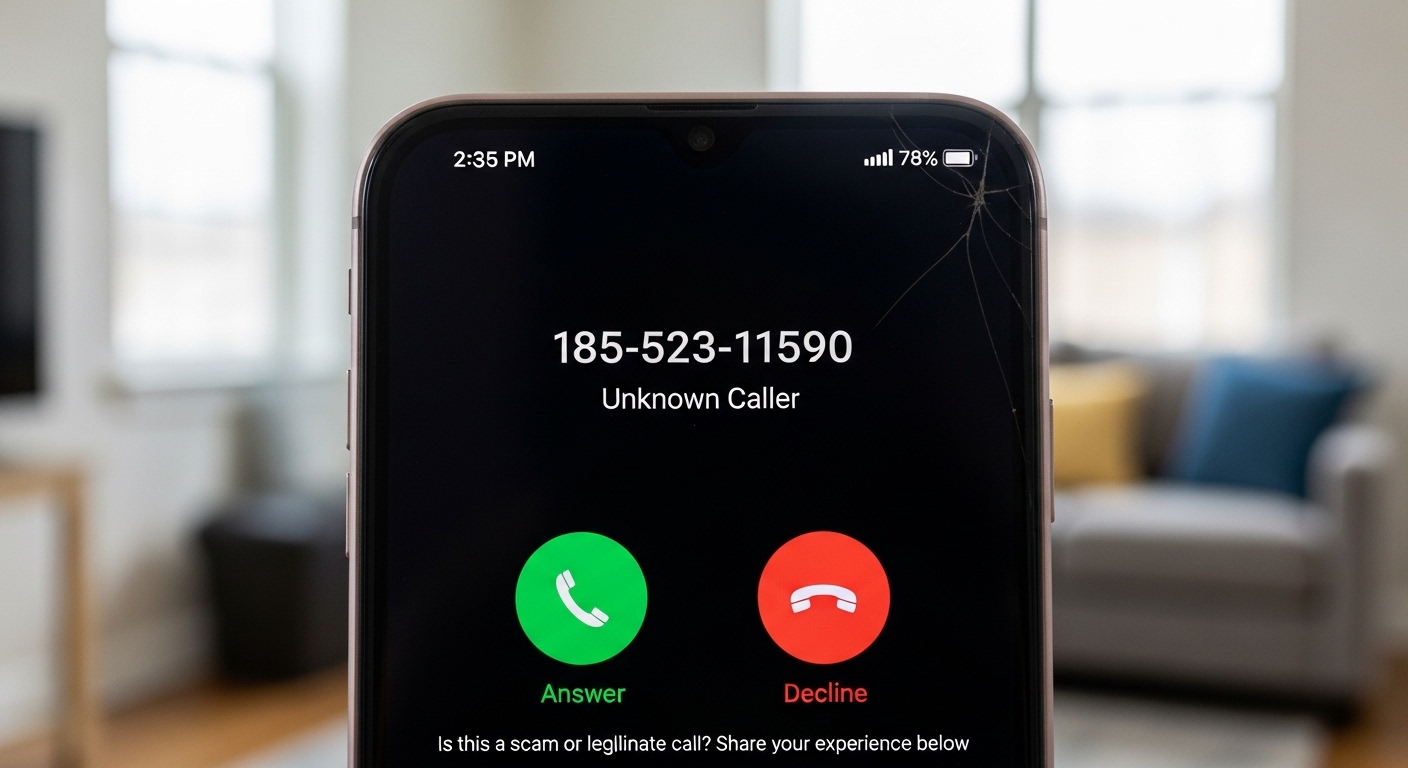
Receiving a call from an unfamiliar number like 18552311590 can create uncertainty. Many people hesitate before answering unknown calls because of the growing number of spam and fraud attempts worldwide. Understanding whether a number is safe requires a combination of awareness, verification tools, and cautious behavior.
Introduction to 18552311590
18552311590 can come from many different sources. Some are legitimate businesses trying to reach customers, while others may be automated systems or individuals with malicious intent. As digital communication expands, unsolicited calls have become more frequent, making it important to evaluate each unknown number carefully.
Why You Might Be Getting Calls from 18552311590
Telemarketing Calls
Businesses often use outbound calling to promote services or follow up with customers. These calls are usually harmless but can be persistent.
Robocalls
Robocalls are automated calls that deliver pre-recorded messages. They are widely used for marketing campaigns and notifications but are also commonly exploited by scammers.
Scam or Fraud Attempts
Some calls are designed to trick individuals into sharing personal or financial information. These are the most dangerous type and require immediate caution.
Is 18552311590 a Scam Number?
Determining whether a number is a scam involves analyzing patterns and reported experiences rather than relying on a single indicator.
Common Warning Signs
Calls that involve urgency, threats, or requests for sensitive information are often linked to scams. If the caller asks for passwords, bank details, or verification codes, the risk level is high.
Reported User Experiences
Numbers similar to 18552311590 are often reported in online directories for suspicious behavior such as fake support calls, loan offers, or impersonation scams. While not every report is verified, repeated complaints are a strong signal to stay cautious.
How Phone Number Lookup Works
Reverse Lookup Explained
A reverse phone lookup allows users to enter a phone number and retrieve available information about the caller. This may include the caller’s name, location, and user-reported feedback.
Free vs Paid Lookup Tools
| Type | Features |
|---|---|
| Free Tools | Basic identification, limited user comments |
| Paid Tools | Detailed background data, higher accuracy |
How to Identify Scam Calls
Red Flags to Watch For
Scam calls often include pressure tactics, requests for confidential information, or unusual payment methods such as gift cards or cryptocurrency.
Caller Behavior Patterns
Scammers tend to call repeatedly, sometimes from slightly different numbers. They may avoid answering direct questions or provide inconsistent information.
What Happens If You Answer?
Risks of Engaging
Answering a suspicious call can confirm that your number is active, which may lead to more unwanted calls. In some cases, engaging with the caller increases the risk of phishing attempts.
When It’s Safe
If you are expecting a call from a business or service, answering may be appropriate. However, verification should still be performed before sharing any details.
What to Do If You Receive a Call from 18552311590
Immediate Actions
Avoid sharing personal information and end the call if anything feels suspicious. It is better to be cautious than to take unnecessary risks.
Reporting the Number
You can report suspicious numbers to telecom authorities or use mobile apps that track spam calls. Reporting helps others avoid similar risks.
How to Block 18552311590
Android Devices
Open your call log, select the number, and choose the block option. This prevents future calls from the same number.
iPhone Devices
Go to recent calls, tap the information icon, and select block caller. The number will no longer be able to contact you.
Best Phone Number Lookup Tools
Popular Services
Several tools are widely used for identifying unknown callers, including Truecaller, Whitepages, and Spokeo.
Features to Look For
Effective tools provide spam detection, caller identification, and user-generated reports. Accuracy and database size are also important factors.
How Scammers Use Phone Numbers
Spoofing Explained
Spoofing allows scammers to disguise their real number by displaying a different one on the recipient’s screen. This technique is commonly used to appear trustworthy.
Social Engineering
Scammers rely on psychological manipulation to gain trust. They may create a sense of urgency or fear to influence decisions quickly.
Tips to Protect Yourself from Phone Scams
Personal Safety Practices
Never share sensitive information over the phone unless you are certain of the caller’s identity. Verifying through official channels is always recommended.
Digital Security Tips
Install spam filters and keep your device updated. Security apps can help detect and block suspicious calls before they reach you.
Legal Actions Against Scam Calls
Consumer Protection Laws
Many countries have regulations to protect individuals from unsolicited calls and fraudulent communication. These laws aim to reduce spam and penalize offenders.
Reporting Authorities
Victims of scam calls can report incidents to local regulatory bodies or cybercrime units. Reporting contributes to broader enforcement efforts.
When a Call Might Be Legitimate
Verification Methods
Legitimate callers usually provide verifiable information and allow you time to confirm their identity. Cross-checking with official sources adds an extra layer of security.
Safe Callback Practices
Instead of calling back unknown numbers, use contact details from official websites. This ensures you are reaching the correct organization.
Frequently Asked Questions
1. Is 18552311590 a scam number?
It may be associated with spam or suspicious activity based on common patterns. Verification through lookup tools is recommended.
2. Should I call back 18552311590?
Calling back is not advised unless you are certain the number is legitimate.
3. What happens if I answer a spam call?
You may receive more unwanted calls or be targeted for further scams.
4. How do I stop unwanted calls?
Use built-in blocking features and third-party apps to reduce spam calls.
5. Can scammers steal my information through calls?
Yes, if you provide personal or financial details during the call.
6. Are all unknown numbers dangerous?
Not all unknown calls are harmful, but it is important to approach them with caution.
Conclusion
A call from 18552311590 should be treated with caution until verified. While it may not always be a confirmed scam, the risks associated with unknown callers make it important to stay alert. Using phone lookup tools, recognizing warning signs, and following safe communication practices can help protect you from potential fraud. Remaining informed and cautious is the most effective way to handle suspicious phone calls and maintain your personal security.

In the ever-evolving landscape of technology, certain codes and identifiers start to pop up more frequently—causing curiosity, confusion, or speculation. One such emerging identifier is “uac3600816”. While it might initially seem like a random alphanumeric code, digging deeper reveals a compelling story involving digital tracking, data structures, and how modern systems manage complex interactions.
In this comprehensive guide, we unpack uac3600816 from every angle—its possible applications, technical implications, and how it may affect the future of digital ecosystems. Whether you’re a data analyst, cybersecurity expert, or just a curious digital explorer, this article will bring clarity to an otherwise cryptic string.
The Origin Story: What Is uac3600816?
Before assigning purpose to any digital identifier, it’s important to understand its format and possible origins. uac3600816 is a 10-character alphanumeric code starting with the prefix “uac”—which might hint at several possibilities:
- UAC often refers to User Account Control in Microsoft systems.
- It can also be an internal tag used in enterprise-level software for account, access, or audit-related purposes.
- The numeric sequence 3600816 could signify a batch number, record ID, or unique timestamp reference.
While uac3600816 is not (yet) a globally recognized standard, its repeated usage in niche datasets, error logs, and tracking codes suggests it plays a pivotal role in backend systems—possibly related to user management, access validation, or cross-platform integration.
Technical Breakdown of uac3600816
Is It Just a Random Code?
No. In the digital world, randomness is rarely truly random. Each character in uac3600816 likely serves a purpose. Let’s break it down:
- UAC: Could imply User Access Control, often used to denote permissions or user types.
- 3600816: May represent an encoded timestamp, user ID, internal tracking ID, or system update version.
Where Is uac3600816 Found?
Some of the more common sightings of uac3600816 include:
- API logs in cloud platforms
- Error tracking systems
- Software patch identifiers
- Third-party plugins or SDK logs
- Enterprise databases tracking internal operations
Its presence across platforms signals that it might be used for cross-platform identification or version control, possibly as a container ID or feature activation code.
Real-World Applications of uac3600816
While its full use case isn’t publicly documented, we’ve collected some plausible real-world applications based on its digital fingerprint:
- Enterprise Security Protocols: In companies managing thousands of users, uac3600816 could be a marker used in audit trails or permission mapping.
- API Authentication Tokens: It may function as a hashed key used in API calls for verifying user-level access.
- Software Versioning: Developers might be using identifiers like uac3600816 to mark a specific codebase version or patch.
- IoT Device Tagging: For companies managing fleets of IoT devices, this could serve as a unique hardware tag.
- Cloud Asset Management: Used to track virtual machines, containers, or deployment clusters.
Given these contexts, uac3600816 isn’t just a label—it’s a node of intelligence, quietly powering core systems behind the scenes.
The Algorithmic Perspective
Let’s look at uac3600816 from a data structure standpoint.
In data science and software engineering, identifiers like this are used for:
- Indexing: Fast access to records in large databases.
- Caching: As cache keys for frequently accessed data.
- Security: Non-human-readable tokens prevent guessing or manipulation.
- Referencing: Ensuring relational integrity across tables or systems.
By designing identifiers such as uac3600816, developers balance uniqueness, security, and performance. It’s small enough to be lightweight, yet complex enough to ensure distinct identity.
Potential Security Implications of uac3600816
Any identifier with potential access implications, like uac3600816, must be treated with scrutiny. If it is used in user access control, it could become a vector for:
- Access Exploits: If poorly implemented, attackers could manipulate such codes to escalate privileges.
- Information Leakage: Logging uac3600816 in user-facing errors could expose internal tracking.
- Token Reuse: If these codes aren’t time-bound or scoped, they might be reused maliciously.
Security best practices recommend:
- Token Expiration
- Minimal Privilege Scoping
- Obfuscation in logs
- Audit trails for all use cases involving uac3600816
How Developers Can Leverage uac3600816
Rather than treating uac3600816 as an obscure string, developers can repurpose or interpret it in useful ways:
- Session Tracking: Assign it to identify specific user sessions.
- Feature Toggles: Use it to activate features for limited beta users.
- Bug Tracking: Tag user-generated issues with uac3600816 to trace them across systems.
- Dynamic Logging: Filter logs dynamically based on user or session ID.
These practices reduce debugging time, increase traceability, and strengthen product performance.
Hidden Patterns: Is uac3600816 a Hash, GUID, or Internal Code?
Another angle to explore is whether uac3600816 is a hashed value or just an arbitrary string.
- It’s not a GUID (globally unique identifier), which typically has 32 characters or more.
- It could be a truncated hash, generated from user input, metadata, or system time.
- Alternatively, uac3600816 might follow an internal naming convention used only within a specific framework or software stack.
While its design isn’t publicly documented, reverse-engineering its logic could reveal deeper meaning—especially if you have access to logs or environments where uac3600816 is used frequently.
Future Predictions: Where Is uac3600816 Heading?
Identifiers like uac3600816 are becoming more common in the world of AI, cloud systems, and microservice architectures. We predict:
- Greater Usage in Serverless Environments: These codes may tag events in ephemeral systems.
- Blockchain Integration: With growing decentralization, unique tags like uac3600816 may identify smart contracts or token interactions.
- AI Training Labels: They could be used as training tags in supervised machine learning models.
In essence, uac3600816 is not just a string—it’s part of a growing trend toward machine-readable precision and modular system tracking.
Final Thoughts
The tech world is full of cryptic codes and identifiers. But behind each of them lies an architecture, a decision, and a strategy. uac3600816 may seem obscure, but it represents the sophistication of modern digital ecosystems—where every string has a function and every function is tied to performance, security, or analytics.
-

 BLOG2 years ago
The Versatility and Convenience of a 5’x5′ Square Folding Table
-

 HOME2 years ago
From Script to Screen: Top Educational Programs for Future Screenwriters That Actually Work
-

 FASHION1 year ago
Pagewings: Book‑Lover Apparel That Speaks Volumes
-

 NEWS1 year ago
Whatfinger News: A Comprehensive Guide to Alternative News
-

 TECHNOLOGY1 year ago
Aagmal: The Future of Innovation and Efficiency
-

 TECH1 year ago
How Cyber Security Services Help Organizations Manage Cyber Risk
-

 BLOG2 years ago
Slothokiturbo.net: Exploring the World of Online Gaming and Community
-

 ENTERTAINMENT1 year ago
Arlecchino: The Mischievous Harlequin of Italian Theater